Hey frontend developers! 👋
Have you ever visited a website that looked absolutely beautiful...
Only to leave a few seconds later?
Maybe it took forever to load.
Maybe the page jumped around while content loaded.
Maybe buttons felt sluggish.
Maybe keyboard navigation didn't work.
Or maybe the experience was frustrating on a slower device.
The reality is simple:
Users don't care how beautiful your website is if they can't use it comfortably.
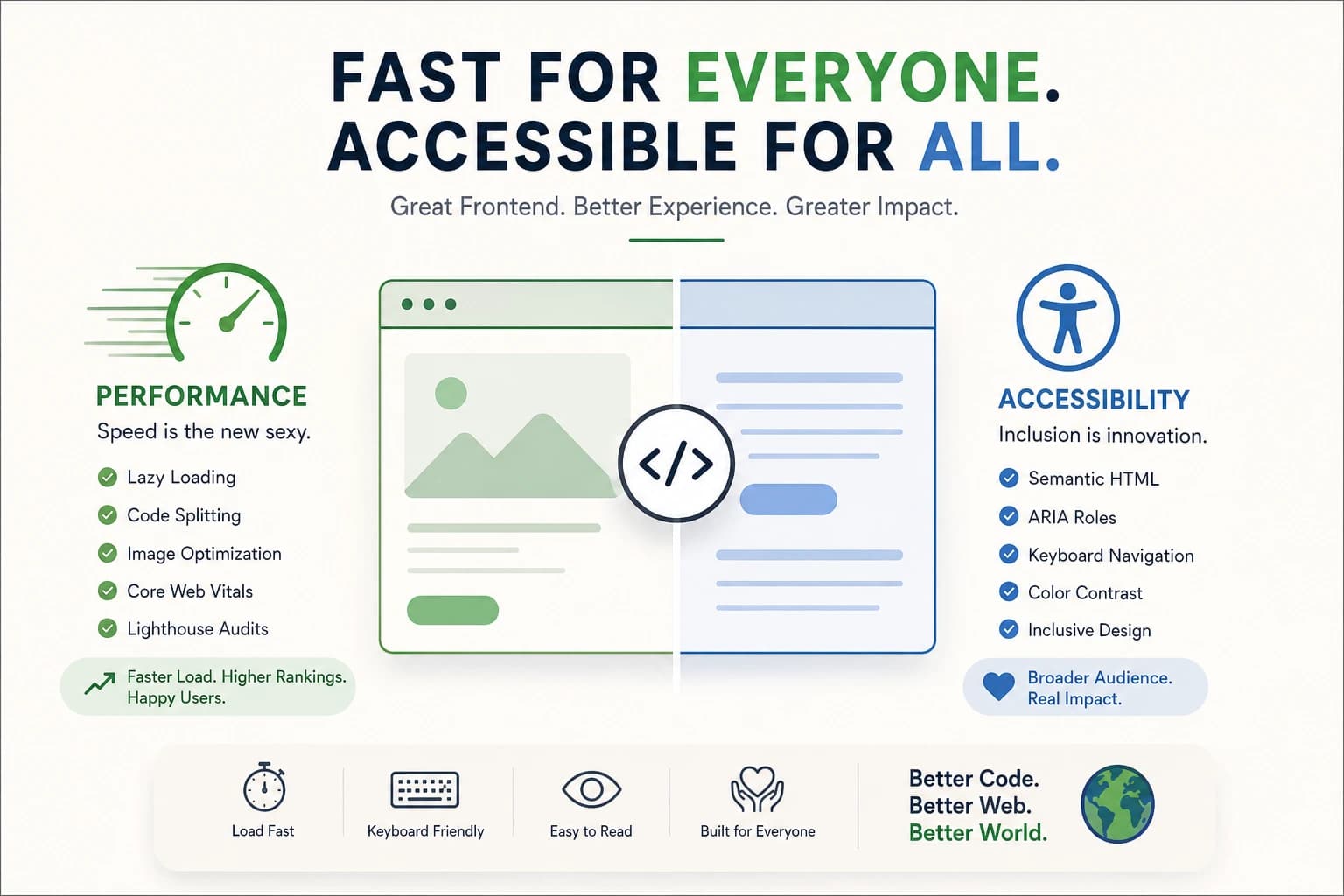
Modern frontend development is no longer just about creating attractive interfaces.
It's about delivering experiences that are:
- Fast
- Responsive
- Accessible
- Reliable
- Inclusive
The best frontend developers understand something important:
Performance and accessibility aren't optional enhancements. They're core product features.
Let's explore why these two skills have become superpowers in modern frontend development. 🚀
Why Performance and Accessibility Matter More Than Ever
The web has changed dramatically.
Users now expect:
- Instant page loads
- Smooth interactions
- Mobile-first experiences
- Accessibility support
- Reliable performance on slow networks
At the same time:
- Search engines reward fast websites.
- Businesses care about conversion rates.
- Accessibility regulations continue to expand.
- Users expect products to work for everyone.
A website can have world-class design and still fail if it ignores performance and accessibility.
That's why great frontend engineering focuses on both.
What Is Frontend Performance?
Frontend performance refers to how quickly and efficiently a website loads, renders, and responds to user interactions.
Good performance means users can:
- View content quickly
- Interact immediately
- Navigate smoothly
- Complete tasks without frustration
Poor performance often leads to:
- Higher bounce rates
- Lower conversions
- Poor SEO rankings
- Frustrated users
Think of performance as the foundation beneath your user interface.
No matter how beautiful the house is, nobody enjoys living in it if the doors take five seconds to open.
The Cost of a Slow Website
Imagine two ecommerce stores.
Store A loads in:
1.5 seconds
Store B loads in:
5 seconds
Both sell identical products.
Which one will generate more sales?
Most users won't wait around.
Every second of delay increases the likelihood that visitors leave before engaging with your content.
A slow website affects:
- User trust
- Engagement
- Revenue
- Search rankings
- Brand perception
Speed isn't merely a technical concern.
It's a business concern.
Lazy Loading: Load Only What's Needed
One of the easiest performance wins is lazy loading.
Instead of loading everything immediately, content loads only when needed.
Example:
<img
  loading="lazy"
  src="image.jpg"
  alt="Product Image"
/>
Benefits include:
- Faster initial load time
- Reduced bandwidth usage
- Improved user experience
Imagine entering a library.
Instead of carrying every book at once, you only grab the book you need.
That's essentially how lazy loading works.
Code Splitting and Tree Shaking
Modern applications often contain thousands of JavaScript modules.
Users rarely need all of them immediately.
Code Splitting
Code splitting breaks large bundles into smaller pieces.
Instead of downloading everything:
500 KB bundle
Users may only download:
50 KB
for the current page.
Tree Shaking
Tree shaking removes unused code.
Example:
If you import a large library but use only one function, modern build tools can eliminate the unused portions.
Popular tools include:
- Vite
- Webpack
- Rollup
- Next.js
The result:
- Smaller bundles
- Faster downloads
- Better performance
Image Optimization: The Hidden Performance Killer
Images are often the largest assets on a website.
A poorly optimized image can outweigh all of your JavaScript combined.
Modern formats include:
- WebP
- AVIF
Benefits:
- Smaller file sizes
- Better compression
- Faster page loads
Using Next.js:
import Image from "next/image"

<Image
  src="/hero.jpg"
  alt="Hero Image"
  width={800}
  height={600}
/>
The framework automatically handles:
- Responsive sizing
- Lazy loading
- Optimization
- Modern formats
This can dramatically improve performance with minimal effort.
Understanding Core Web Vitals
Google introduced Core Web Vitals to measure real-world user experience.
These metrics focus on speed, responsiveness, and stability.
Largest Contentful Paint (LCP)
Measures loading performance.
Target:
Under 2.5 seconds
Interaction to Next Paint (INP)
Measures responsiveness.
Target:
Under 200 milliseconds
Cumulative Layout Shift (CLS)
Measures visual stability.
Target:
Below 0.1
Nobody enjoys clicking a button only to have it move at the last moment.
That's exactly what CLS helps prevent.
Measuring Performance with Lighthouse
One of the best tools available is Lighthouse.
It analyzes:
- Performance
- Accessibility
- SEO
- Best practices
Running a Lighthouse audit can quickly reveal:
- Oversized images
- Render-blocking resources
- Accessibility issues
- Optimization opportunities
Think of it as a health checkup for your website.
What Is Accessibility (A11Y)?
Accessibility ensures that everyone can use your website.
Including users with:
- Visual impairments
- Hearing impairments
- Motor disabilities
- Cognitive challenges
Accessibility is not about building separate experiences.
It's about building better experiences for everyone.
A common misconception is:
Accessibility helps only a small group of users.
In reality:
Good accessibility improves usability for everyone.
Why Accessibility Matters
More than a billion people worldwide live with some form of disability.
Ignoring accessibility means excluding a significant portion of potential users.
Accessibility also improves:
- SEO
- Usability
- Mobile experiences
- Product quality
The best products are inclusive by design.
Semantic HTML: The Foundation of Accessibility
Many accessibility problems can be solved with proper HTML.
Instead of:
<div onclick="submitForm()">
  Submit
</div>
Use:
<button>
  Submit
</button>
Semantic elements provide meaning.
Examples:
<header>
<nav>
<main>
<article>
<footer>
<button>
Screen readers understand these elements naturally.
This improves accessibility without extra effort.
Understanding ARIA
ARIA stands for:
Accessible Rich Internet Applications
ARIA helps communicate information to assistive technologies.
Example:
<div
  role="alert"
  aria-live="assertive"
>
  New message received.
</div>
ARIA should supplement semantic HTML, not replace it.
A common rule:
Use native HTML first. Use ARIA only when necessary.
Keyboard Navigation
Not everyone uses a mouse.
Many users rely entirely on keyboards.
Your website should support:
- Tab navigation
- Enter key actions
- Escape key handling
- Focus management
Try this experiment:
Unplug your mouse.
Can you navigate your website completely?
If not, accessibility improvements are needed.
Focus States Matter
Many developers remove focus outlines.
Example:
outline: none;
This often creates accessibility problems.
Focus indicators help users understand where they are on the page.
A visible focus state is essential.
Color Contrast and Readability
Beautiful colors can still create unusable interfaces.
Poor contrast makes content difficult to read.
Example:
Light gray text on a white background.
Looks modern.
Feels terrible to read.
Accessibility guidelines help ensure content remains readable for all users.
Real-World Example
Imagine two online banking applications.
Bank A
- Loads slowly
- Poor keyboard support
- Low contrast text
- Unlabeled form fields
Bank B
- Loads instantly
- Fully keyboard accessible
- Screen-reader friendly
- Clear visual hierarchy
Which one feels more trustworthy?
Accessibility and performance directly influence user confidence.
Why Great Frontend Engineers Prioritize Both
Performance and accessibility often reinforce one another.
For example:
- Semantic HTML improves accessibility and SEO.
- Smaller bundles improve performance and usability.
- Better structure improves maintainability.
- Faster websites improve user satisfaction.
The strongest frontend engineers understand that technical excellence isn't always visible.
Sometimes the most impressive work is invisible.
Users simply experience a website that feels effortless.
Why These Skills Matter for Your Career
Companies increasingly value developers who understand:
- User experience
- Performance optimization
- Accessibility standards
- SEO fundamentals
- Inclusive design
These skills apply across:
- React
- Next.js
- Vue
- Angular
- Svelte
- Mobile web applications
Mastering them makes you a stronger engineer regardless of framework.
TL;DR Quick Recap
- Beautiful interfaces aren't enough.
- Performance directly impacts user experience and conversions.
- Lazy loading improves initial load times.
- Code splitting reduces JavaScript bundle sizes.
- Image optimization significantly improves performance.
- Core Web Vitals measure real-world experience.
- Accessibility ensures everyone can use your application.
- Semantic HTML provides a strong accessibility foundation.
- Keyboard navigation is essential.
- Great frontend developers optimize for both speed and inclusion.
Final Thoughts
Frontend development has evolved.
The industry's focus is no longer just:
"How does it look?"
The real question is:
"How does it perform for everyone?"
The most successful products combine:
- Beautiful design
- Excellent performance
- Inclusive accessibility
- Thoughtful user experience
When users don't notice your optimization efforts, you've probably done them well.
Pages load instantly.
Interactions feel smooth.
Navigation feels natural.
Everything simply works.
And that's where great frontend engineering shines.
A Little Joke to End On
Why did the frontend developer break up with the slow website?
Because the relationship had too much latency and not enough accessibility. 😄
Frequently Asked Questions
What is frontend performance?
Frontend performance refers to how quickly a website loads, renders, and responds to user interactions.
Why is website speed important?
Faster websites improve user experience, conversions, engagement, and SEO rankings.
What is lazy loading?
Lazy loading delays loading resources until they are needed, reducing initial page load time.
What are Core Web Vitals?
Core Web Vitals are user-experience metrics focused on loading speed, responsiveness, and visual stability.
What is accessibility (A11Y)?
Accessibility ensures websites are usable by people with disabilities and assistive technologies.
Why is semantic HTML important?
Semantic HTML provides meaningful structure that improves accessibility, SEO, and maintainability.
What is ARIA?
ARIA provides additional accessibility information when native HTML alone isn't sufficient.
Why is keyboard navigation important?
Many users rely on keyboards instead of mice, making keyboard accessibility essential.
Does accessibility improve SEO?
Yes. Many accessibility best practices also help search engines better understand content.
Should accessibility be added later?
No. Accessibility should be considered from the beginning of the development process.
Key Takeaways
- Performance and accessibility are core frontend skills.
- Fast websites improve user experience and business outcomes.
- Core Web Vitals help measure performance quality.
- Accessibility makes products usable for everyone.
- Semantic HTML should be the default approach.
- ARIA should complement native HTML.
- Keyboard navigation is essential.
- Inclusive design creates better products.
- Great frontend developers optimize for both speed and accessibility.
If you found this article useful, share it with fellow frontend developers, UI engineers, UX designers, and web enthusiasts who want to build faster and more inclusive web experiences.
About the Author
Anik Sikder is a Software Engineer specializing in Backend Systems, SaaS Architecture, Cloud Infrastructure, Python, Django, FastAPI, modern web technologies, and scalable software engineering.
He writes about frontend development, backend engineering, cloud computing, system design, networking, cybersecurity, and modern engineering practices.