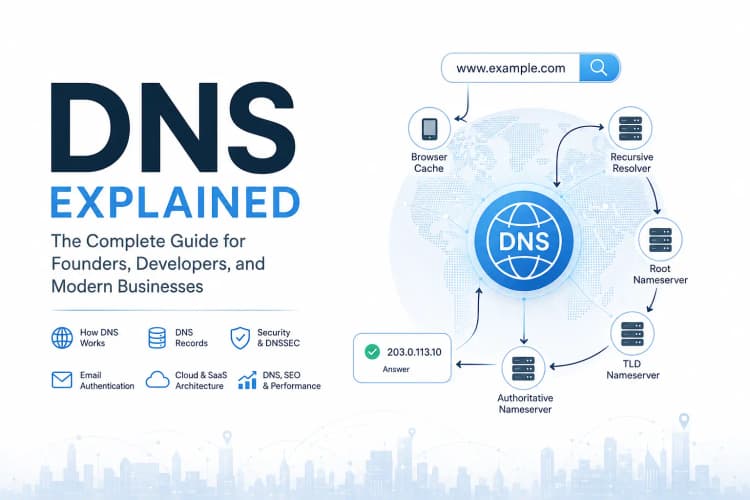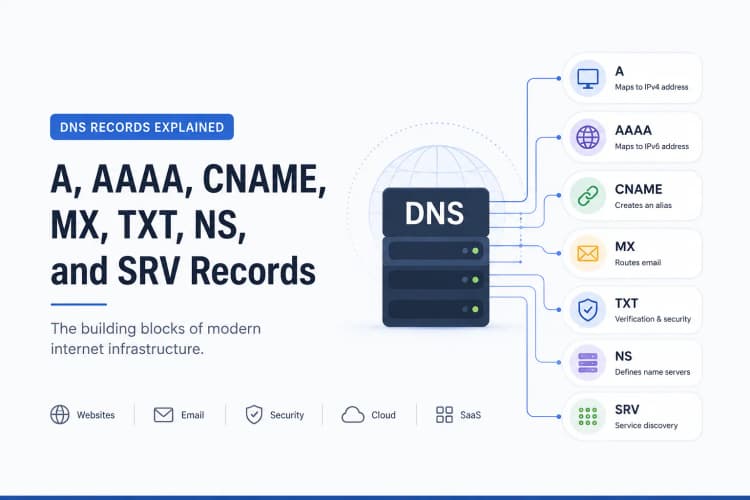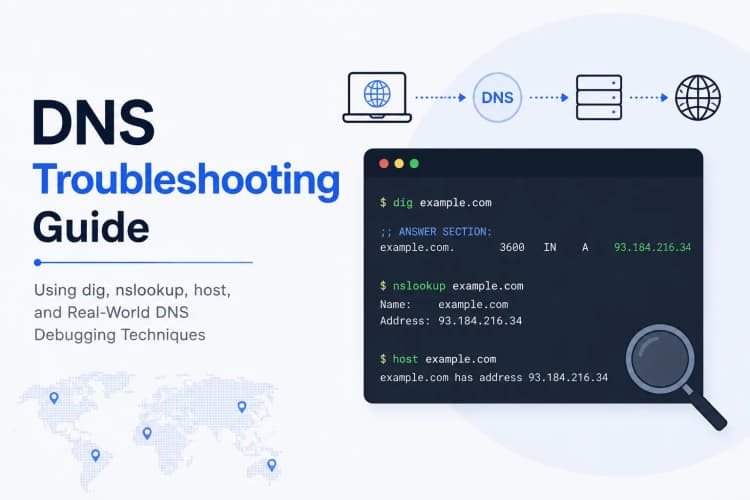
In the previous article, we explored:
- How DNS works
- How DNS records power websites, email systems, and cloud infrastructure
At this point, a natural question emerges:
If DNS changes are just records stored on a server, why don't updates happen instantly?
Imagine moving a website to a new server.
You update the DNS record.
You refresh your browser.
Nothing changes.
An hour later, some users see the new website.
Others still see the old one.
A colleague in another country sees something completely different.
Monitoring tools report mixed results.
Suddenly everyone starts asking:
Has DNS propagated yet?
This is one of the most misunderstood concepts in networking.
In reality, DNS propagation is not magic.
It is not a global synchronization event.
And contrary to popular belief, DNS records do not slowly travel across the internet.
What actually happens is far more interesting.
Understanding DNS propagation requires understanding three critical concepts:
- DNS Cache
- DNS TTL
- Recursive Resolvers
Once those concepts click, DNS behavior becomes predictable instead of mysterious.
The Biggest Misconception About DNS Propagation
Most explanations describe DNS propagation like this:
DNS Change
      ↓
Internet Updates Everywhere
      ↓
Propagation Complete
This sounds reasonable.
Unfortunately, it isn't how DNS works.
There is no global "update internet" button.
There is no mechanism that pushes your DNS change to every network on Earth.
The internet doesn't work that way.
A more accurate model looks like this:
DNS Change
      ↓
Old Answers Expire
      ↓
Resolvers Ask Again
      ↓
New Answers Are Cached
This distinction is important.
Because understanding it helps explain nearly every DNS propagation issue.
What DNS Propagation Actually Means
When people say:
DNS propagation is taking time
What they usually mean is:
Some systems are still using cached DNS information.
That's it.
Propagation is largely a caching problem.
Not a distribution problem.
The internet already knows where your DNS records live.
The challenge is that millions of systems may still trust older answers.
Understanding DNS Cache
DNS would be incredibly inefficient without caching.
Imagine every website visit requiring:
- Contact Root Servers
- Contact TLD Servers
- Contact Authoritative Nameservers
- Retrieve DNS Records
For every request.
For every user.
For every page load.
The internet would be overwhelmed.
Instead, DNS uses caching extensively.
Where DNS Is Cached
Most people assume DNS is cached in only one location.
In reality, DNS is cached everywhere.
Browser Cache
Your browser remembers previous DNS lookups.
For example:
chrome
firefox
safari
edge
all maintain their own caches.
Operating System Cache
The operating system also stores DNS responses.
Examples:
Windows
Linux
macOS
Android
iOS
all implement DNS caching.
Router Cache
Many routers cache DNS responses.
This includes:
- Home routers
- Office routers
- Enterprise firewalls
ISP Cache
Internet Service Providers often cache DNS records.
Recursive Resolver Cache
Resolvers such as:
Google DNS
8.8.8.8

Cloudflare DNS
1.1.1.1
maintain massive DNS caches.
This is where most DNS propagation delays originate.
Why DNS Caching Exists
Caching solves several major problems.
Faster Performance
Without caching:
Every DNS lookup would require multiple network requests.
Caching dramatically reduces lookup times.
Reduced Infrastructure Load
DNS infrastructure handles billions of requests daily.
Caching prevents unnecessary traffic.
Improved Reliability
Cached answers remain available even when upstream systems experience temporary issues.
Caching is one of the reasons DNS scales globally.
DNS TTL Explained
TTL stands for:
Time To Live
TTL determines how long a DNS response can remain cached before it must be refreshed.
Example:
example.com. 3600 IN A 203.0.113.10
Here:
3600 seconds
equals:
1 hour
This means:
A resolver may reuse this answer for one hour before requesting a fresh copy.
TTL Is the Heart of DNS Propagation
When people ask:
Why hasn't my DNS update appeared yet?
The answer is often:
The previous TTL has not expired.
Resolvers continue trusting old information until the cache expires.
Only then do they ask for new information.
A Practical Example
Imagine a website currently points to:
203.0.113.10
The DNS record has:
TTL = 86400
which equals:
24 hours
At 9:00 AM you update the record:
203.0.113.50
What happens?
Many resolvers continue using:
203.0.113.10
until their cached record expires.
The new server may not become visible everywhere for many hours.
This is normal.
Why Some People See Changes Before Others
A common source of confusion:
Two people check the same domain.
One sees the new website.
The other sees the old website.
Why?
Because they are not necessarily using the same resolver.
Example:
User A → Cloudflare DNS
User B → ISP Resolver
If one cache expires earlier than another, different answers appear temporarily.
This creates the illusion that DNS propagation is inconsistent.
In reality, different caches are simply operating on different timelines.
The Lifecycle of a DNS Change
A DNS update generally follows this pattern:
Step 1
A record changes on the authoritative nameserver.
Step 2
Existing caches continue using older answers.
Step 3
TTL expires.
Step 4
Resolvers request fresh information.
Step 5
New answers are cached.
Step 6
Traffic gradually shifts to the new destination.
This process is what people call:
DNS Propagation
Why Lowering TTL Before Migrations Matters
Experienced infrastructure teams rarely make DNS changes without preparation.
Suppose a website migration is scheduled for Friday.
The existing record has:
TTL = 86400
One day before the migration:
TTL = 300
is configured.
This reduces cache duration to:
5 minutes
Now when the migration occurs, resolvers refresh much faster.
The transition becomes significantly smoother.
The Most Common DNS Migration Mistake
A surprisingly common scenario:
Monday
TTL remains:
86400
Tuesday
Migration begins.
Tuesday Afternoon
Traffic appears inconsistent.
Tuesday Evening
People assume DNS is broken.
In reality:
The TTL strategy was never planned.
The migration itself may be perfectly correct.
DNS Propagation and Website Launches
Launching a new website often involves:
- DNS updates
- SSL certificates
- CDN configuration
- Email setup
- Search engine verification
DNS propagation affects all of them.
Many launch-day issues are actually cache-related issues.
Understanding propagation helps avoid unnecessary panic.
DNS Propagation and Email Systems
Email migrations are especially sensitive.
A website outage is obvious.
Email failures often aren't.
If MX records change:
example.com IN MX 10 mail.old-provider.com
becomes:
example.com IN MX 10 mail.new-provider.com
different mail servers may temporarily use different routes.
Proper TTL planning becomes critical.
DNS Propagation and Search Visibility
Search engines rely on DNS continuously.
They must:
- Crawl websites
- Verify ownership
- Access resources
Poorly planned DNS changes can temporarily impact accessibility.
This doesn't automatically harm rankings.
However, prolonged outages or misconfigured migrations can create crawl issues.
Infrastructure reliability remains an important foundation for search visibility.
DNS Propagation and GEO
As AI-powered discovery systems become more common, reliable infrastructure becomes increasingly important.
Large language models, answer engines, and AI search platforms must access content consistently.
DNS instability can affect:
- Content accessibility
- Crawling consistency
- Service reliability
Strong DNS practices contribute to long-term discoverability.
How to Check DNS Propagation
Several approaches exist.
Using dig
dig example.com
Query Specific Resolvers
dig @8.8.8.8 example.com
dig @1.1.1.1 example.com
Comparing results helps identify cache differences.
Online DNS Checkers
DNS propagation tools query multiple locations worldwide.
These tools provide a useful snapshot of resolver behavior across regions.
Does DNS Propagation Really Take 48 Hours?
One of the oldest myths in networking is:
DNS propagation takes 24 to 48 hours.
Historically, this was often true.
Modern DNS infrastructure behaves differently.
Most changes appear much faster.
The real answer depends on:
- TTL values
- Resolver behavior
- Cache state
- Network policies
Many updates become visible within minutes.
Others may take significantly longer.
The key variable is caching.
Not geography.
Not distance.
Not internet speed.
Caching.
Common DNS Propagation Myths
Myth #1
DNS changes spread slowly around the world.
Reality:
Resolvers refresh cached information when TTL expires.
Myth #2
DNS propagation always takes 48 hours.
Reality:
Many changes appear within minutes.
Myth #3
DNS propagation can be forced globally.
Reality:
You cannot instantly clear every cache on the internet.
Myth #4
DNS propagation means DNS is broken.
Reality:
Propagation is usually normal DNS behavior.
Best Practices for DNS Changes
Reduce TTL Before Major Changes
Prepare caches before migrations.
Verify Records Before Updating
Prevent avoidable mistakes.
Monitor Multiple Resolvers
Avoid relying on a single DNS source.
Plan Email Migrations Carefully
Email outages are often harder to detect than website outages.
Understand Cache Behavior
Most propagation issues are cache issues.
Frequently Asked Questions
What is DNS propagation?
DNS propagation refers to the period during which cached DNS information is replaced with updated records across resolvers.
What is DNS TTL?
TTL (Time To Live) defines how long a DNS record may remain cached before being refreshed.
What is DNS cache?
DNS cache stores previously resolved DNS answers to improve performance and reduce lookup costs.
Why do DNS changes take time?
Because systems continue using cached information until TTL expiration.
Can DNS propagation be instant?
Not globally.
Caching behavior always introduces some delay.
Does DNS propagation affect websites?
Yes.
Website migrations, domain changes, and infrastructure updates are all influenced by propagation behavior.
Does DNS propagation affect email?
Yes.
MX record changes can affect email routing during transition periods.
Key Takeaways
- DNS propagation is primarily a caching phenomenon.
- DNS records do not physically spread across the internet.
- DNS TTL controls cache lifetime.
- DNS cache exists in browsers, operating systems, routers, ISPs, and recursive resolvers.
- Different users may see different DNS answers during propagation.
- Lower TTL values can simplify migrations.
- Most propagation issues are cache-related rather than DNS-related.
- Understanding propagation reduces downtime, confusion, and migration risk.
- Reliable DNS practices support website availability, email delivery, and long-term discoverability.
About the Author
Anik Sikder is a Software Engineer specializing in Python, Django, FastAPI, Cloud Infrastructure, DevOps, Networking, and Software Architecture.
He writes about DNS, Cloud Computing, Distributed Systems, SaaS Architecture, Cybersecurity, and scalable software engineering practices.