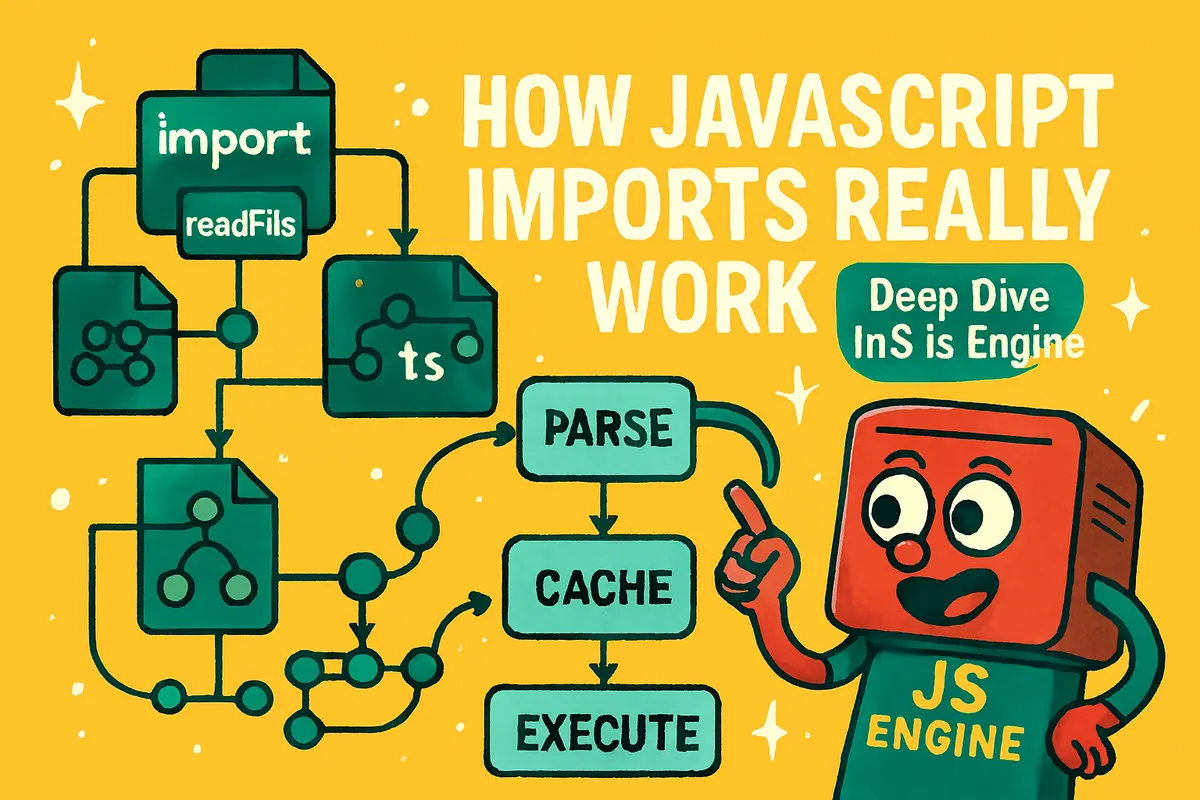
Hey JavaScript developers! 👋
If you've been writing JavaScript for a while, you've probably typed something like:
import { readFile } from "fs";
And then immediately moved on with your day.
But have you ever stopped and wondered:
Where does
readFileactually come from?
How does JavaScript know where to find it?
How does it connect that function to your file?
Why does importing the same module multiple times not execute it repeatedly?
The truth is that modern JavaScript engines perform an incredible amount of work before your code ever starts running.
They build dependency graphs.
Parse Abstract Syntax Trees (ASTs).
Link live bindings.
Resolve module paths.
Cache module records.
Optimize execution.
All before your application begins doing real work.
Today we're opening the hood and exploring how JavaScript imports actually work.
We'll cover:
- What JavaScript modules really are
- How the import process works step-by-step
- Module graphs and dependency resolution
- Live bindings vs copied values
- Module caching
import.meta- Static vs dynamic imports
- Circular dependencies
- Engine optimizations
- Best practices for scalable applications
Ready?
Let's dive in. 🚀
What Is a JavaScript Module?
Many developers think:
A module is just a file.
Technically true.
But a module is more than that.
A JavaScript module is an isolated execution unit with:
- Its own scope
- Explicit dependencies
- Explicit exports
- Strict mode enabled automatically
- Live bindings shared between modules
Think of a module as a small service.
Inputs:
import ...
Outputs:
export ...
Everything inside remains private unless explicitly exported.
Why Modules Exist
Before ES Modules, developers relied on:
<script src="file1.js"></script>
<script src="file2.js"></script>
<script src="file3.js"></script>
Everything shared the same global scope.
This created problems:
- Naming collisions
- Unclear dependencies
- Difficult maintenance
- Fragile execution order
Modules solved this by introducing encapsulation and explicit dependency management.
What Happens When You Write import
Consider:
import { hello } from "./greetings.js";

console.log(hello("Anik"));
This looks simple.
Behind the scenes, however, the engine performs several phases.
Step 1: Parsing and Building the Module Graph
Before execution begins, JavaScript parses your file.
Internally, it creates an:
AST
(Abstract Syntax Tree)
A simplified representation of your code.
For example:
import { hello } from "./greetings.js";
becomes a node in the AST.
The engine scans all imports and exports and constructs a dependency graph.
Example:
app.js
├── greetings.js
└── utils.js
    └── validators.js
This graph tells the runtime exactly what modules must be loaded.
This is also why imports must appear at the top level.
The engine needs to discover dependencies before execution starts.
Why Imports Must Be Static
This works:
import { hello } from "./greetings.js";
This doesn't:
if (condition) {
  import { hello } from "./greetings.js";
}
because static imports are analyzed before execution.
The engine cannot depend on runtime conditions to discover dependencies.
That's why dynamic imports use a different mechanism.
We'll cover those later.
Step 2: Module Resolution
Once dependencies are discovered, the engine resolves module specifiers.
Example:
import "./greetings.js";
The engine determines the actual location of the file.
Relative Imports
import "./utils.js";
Resolved relative to the current module.
Absolute URLs
import "https://example.com/module.js";
Resolved directly from the provided URL.
Bare Specifiers
import React from "react";
Node.js performs a resolution algorithm.
Typically:
- Search
node_modules - Read
package.json - Check
exports - Check
main - Fallback to
index.js
If resolution fails:
Cannot find module
The application stops before execution begins.
Step 3: Fetching and Parsing Dependencies
After resolution, JavaScript loads the module.
Depending on the environment:
Browser
Network Request
Node.js
Filesystem Read
The file is then parsed into another AST.
The engine creates a structure known as a:
Module Record
A Module Record contains:
- Import definitions
- Export definitions
- Dependency references
- Executable code
The code has been parsed.
But it hasn't run yet.
Step 4: Instantiation and Linking
This is where JavaScript does something incredibly powerful.
It links modules together before execution.
Consider:
// counter.js

export let count = 0;

export function increment() {
  count++;
}
// app.js

import { count, increment } from "./counter.js";

console.log(count);

increment();

console.log(count);
Output:
0
1
Many developers assume imports copy values.
They don't.
JavaScript uses:
Live Bindings
The imported variable points directly to the original exported binding.
Changes remain synchronized automatically.
Live Bindings vs Copies
Imagine exports were copied.
This would happen:
count = 0
Import:
copy = 0
After increment:
count = 1
copy = 0
That would be broken.
Instead, JavaScript keeps a live reference to the export.
Both modules always see the latest value.
Step 5: Module Execution
Once linking finishes, modules execute.
Execution occurs:
Top → Bottom
Example:
console.log("Loading...");
Runs immediately during module evaluation.
This phase is where:
- Side effects happen
- Functions are created
- Objects are initialized
- Connections may be established
The module becomes fully initialized.
Module Caching: The Hidden Performance Hero
After execution, the runtime stores the module.
Internally:
URL → Module Record
This mapping is often called the Module Map.
When another file imports the same module:
import "./config.js";
again:
import "./config.js";
JavaScript reuses the cached module.
No re-execution occurs.
This behavior improves performance dramatically.
Why Modules Execute Only Once
Consider:
// config.js

console.log("Config initialized");
Imported in multiple files:
import "./config.js";
Output:
Config initialized
Only once.
The runtime remembers the already-executed module.
Every future import receives the same Module Record.
Module Maps Are Runtime-Specific
Each runtime maintains its own module cache.
Examples:
Browser
Each tab:
Fresh Module Map
Node.js
Each process:
Fresh Module Map
Restarting the application resets everything.
Nothing persists between runtimes.
Understanding import.meta
Every module receives a special object:
import.meta
Example:
console.log(import.meta.url);
Output:
file:///project/src/app.js
Think of it as the module's identity card.
Useful for:
- Resolving file paths
- Loading local assets
- Building portable libraries
Example:
new URL("./data.json", import.meta.url);
Organizing Modules at Scale
As applications grow, folder structure becomes critical.
A common pattern:
src/
├── services/
│   └── api.js
├── utils/
│   ├── format.js
│   └── validate.js
└── index.js
This keeps responsibilities separated and easier to maintain.
Re-Exporting Modules
A useful pattern:
// utils/index.js

export * from "./format.js";
export * from "./validate.js";
Consumers can now write:
import {
  formatResult,
  validateInput
} from "./utils/index.js";
Benefits:
- Cleaner imports
- Better developer experience
- Easier refactoring
Static Imports
The most common form:
import { sqrt } from "./math.js";
Characteristics:
- Loaded before execution
- Enables static analysis
- Supports tree-shaking
- Optimized by bundlers
Because dependencies are known in advance, tooling can optimize aggressively.
Dynamic Imports
Sometimes you only need code under certain conditions.
JavaScript provides:
const math = await import("./math.js");
Example:
if (userWantsMath) {
  const math = await import("./math.js");

  console.log(math.sqrt(49));
}
Benefits:
- Lazy loading
- Smaller initial bundles
- Faster startup times
Modern frameworks rely heavily on dynamic imports.
Examples include:
- Next.js
- Vite
- Webpack
- Astro
- Remix
Static vs Dynamic Imports
| Feature | Static Import | Dynamic Import |
|---|---|---|
| Load Time | Before execution | Runtime |
| Tree-Shaking | Yes | Limited |
| Lazy Loading | No | Yes |
| Syntax | import ... | await import() |
| Performance | Faster startup analysis | Smaller initial bundles |
Use static imports for core application logic.
Use dynamic imports for optional or rarely-used features.
Circular Dependencies
One of the trickiest module problems.
Example:
a.js
import { b } from "./b.js";

console.log("a sees b:", b);

export const a = "A";
b.js
import { a } from "./a.js";

console.log("b sees a:", a);

export const b = "B";
Possible output:
b sees a: undefined
a sees b: B
Why?
Because linking occurs before execution.
When one module executes, the other may still be initializing.
This creates partially initialized bindings.
How to Avoid Circular Imports
The best solution:
Extract shared logic.
Instead of:
a ↔ b
Use:
a → shared ← b
Example:
shared.js
contains common functionality.
Both modules depend on it.
Neither depends on each other.
Much cleaner.
Engine Optimizations Behind the Scenes
Modern JavaScript engines perform remarkable optimizations.
AST Caching
Parsed structures can be reused.
Avoids repeated parsing work.
Bytecode Caching
Engines may cache compiled bytecode.
Reduces startup overhead.
Speculative Optimization
Frequently used functions receive advanced optimizations automatically.
Dead Code Elimination
Bundlers remove unused exports.
This process is known as:
Tree-Shaking
Result:
Smaller bundles.
Faster applications.
Exploring V8 Bytecode
Curious what JavaScript becomes internally?
Try:
node --print-bytecode app.js
You'll see low-level instructions generated by V8.
Not something you'll use daily.
But fascinating if you enjoy language internals.
A Useful Mental Model
Think of the module system as a transportation network.
Module         → Station
Import         → Route
Export         → Destination
Module Graph   → Railway Map
Linking        → Connecting Tracks
Caching        → Reusing Existing Routes
The runtime builds the entire network before passengers (your code) start moving.
Understanding this model makes complex import behavior much easier to reason about.
TL;DR Quick Recap
- JavaScript builds a dependency graph before execution.
- Imports are resolved before code runs.
- Modules are parsed into Module Records.
- Imports use live bindings, not copied values.
- Modules execute only once per runtime.
- Module records are cached for performance.
import.metaprovides module-specific metadata.- Static imports support tree-shaking.
- Dynamic imports enable lazy loading.
- Circular dependencies can lead to partially initialized values.
Final Thoughts: Imports Are an Entire System, Not a Keyword 🧠
Most developers learn:
import ...
during their first week with JavaScript.
But that tiny keyword represents an entire module system.
Behind the scenes, JavaScript is:
- Parsing files
- Building dependency graphs
- Resolving modules
- Linking exports
- Creating live bindings
- Executing code
- Managing caches
- Optimizing performance
Understanding this process helps explain mysterious bugs, unexpected initialization behavior, circular dependency issues, and performance characteristics.
The next time you write:
import { something } from "./module.js";
remember:
A lot more is happening than simply loading a file.
A Little JavaScript Joke to End On 😄
Why did the module refuse to execute twice?
Because it had already been committed to the cache and wasn't interested in repeating itself.
Frequently Asked Questions
What is a JavaScript module?
A JavaScript module is a file with its own scope that can import dependencies and export functionality.
Modules help organize code into reusable units.
What happens when JavaScript encounters an import?
The engine:
- Parses the file
- Builds the dependency graph
- Resolves module paths
- Loads dependencies
- Links imports and exports
- Executes modules
- Caches the results
Are imported values copied?
No.
JavaScript uses live bindings.
Imported variables remain connected to the original exported values.
Why do modules execute only once?
Because runtimes cache Module Records after execution.
Future imports reuse the cached module instead of running it again.
What is a Module Graph?
A Module Graph is the dependency tree connecting all imported modules in an application.
The runtime builds this graph before execution begins.
What is import.meta?
import.meta is a special object containing metadata about the current module.
Most commonly used:
import.meta.url
for resolving file-relative paths.
What is the difference between static and dynamic imports?
Static imports:
import { x } from "./module.js";
are resolved before execution.
Dynamic imports:
await import("./module.js");
are loaded at runtime.
Why are circular imports problematic?
Because modules may attempt to access exports that haven't finished initializing.
This can result in unexpected undefined values.
What is tree-shaking?
Tree-shaking is a bundler optimization that removes unused imports and exports from the final bundle.
This reduces file size and improves performance.
Do browsers and Node.js cache modules?
Yes.
Both environments cache loaded modules during runtime.
Modules execute only once per process or browser context.
Key Takeaways
- JavaScript imports are resolved before execution.
- Module graphs define application dependencies.
- Imports create live bindings rather than copies.
- Modules execute once and are cached afterward.
- Static imports enable tree-shaking and optimization.
- Dynamic imports support lazy loading and code splitting.
- Circular dependencies should be avoided when possible.
- Understanding the module system improves debugging and architecture decisions.
If you found this helpful, share it with another developer and follow for more JavaScript deep dives, engine internals, software architecture discussions, and modern web development insights. 🚀
About the Author
Anik Sikder is a Software Engineer specializing in Frontend Development, Backend Systems, DevOps, Cloud Infrastructure, and Software Architecture.
He writes about JavaScript, TypeScript, Node.js, Python, distributed systems, system design, and scalable software engineering practices.