Hey dev friends! 👋
If you've worked with Python, Rust, or TypeScript, you've probably encountered tuples.
They’re simple, lightweight, and perfect when you need a small group of related values that should stay in a specific order.
But then you jump into JavaScript and realize...
"Wait... where are the tuples?"
The answer is simple:
JavaScript doesn't have native tuples.
At least not in plain JavaScript.
But don't worry. JavaScript gives us enough building blocks to create tuple-like behavior safely and effectively.
Today we're diving deep into:
- What tuples are
- Why JavaScript doesn't have them
- How to mimic them using arrays
- Runtime immutability with
Object.freeze() - Deep freezing nested objects
- TypeScript readonly tuples
- Real-world use cases and best practices
Ready? Let's dive in. 🚀
What Is a Tuple Anyway?
A tuple is simply:
- Ordered
- Fixed-size
- Immutable
Think of it as a tiny data record where position matters.
For example:
("Alice", 25, True)
Position tells us:
0 → Name
1 → Age
2 → Active Status
The values stay in order and cannot be modified.
This makes tuples ideal for:
- Coordinates
- Database records
- Function return values
- Configuration values
- Small structured data
JavaScript Arrays: Close, But Not Quite
The closest thing JavaScript has to a tuple is an array.
const user = ["Alice", 25, true];
Looks similar.
But arrays are extremely flexible:
user.push("Developer");
user[1] = 30;

console.log(user);
Output:
["Alice", 30, true, "Developer"]
That's great for dynamic collections.
Not so great when you're trying to protect data from accidental modification.
How JavaScript Arrays Work Behind the Scenes
Most developers think arrays are special.
In reality, arrays are objects.
const arr = ["a", "b", "c"];

console.log(typeof arr);
Output:
"object"
Internally:
{
  "0": "a",
  "1": "b",
  "2": "c",
  length: 3
}
The JavaScript engine simply optimizes arrays heavily because numeric keys are so common.
This optimization makes arrays fast while still behaving like objects.
Creating Tuple-Like Arrays with Object.freeze()
The easiest way to mimic tuple behavior is:
- Use an array
- Freeze it
const point = Object.freeze([10, 20]);
Now attempts to modify it fail:
point[0] = 99;

console.log(point);
Output:
[10, 20]
In strict mode you'll get a TypeError.
Without strict mode, JavaScript silently ignores the mutation attempt.
What Does Object.freeze() Actually Do?
When you freeze an object, JavaScript:
Prevents New Properties
const user = Object.freeze({
  name: "Alice"
});

user.age = 25;
Won't work.
Prevents Reassignment
user.name = "Bob";
Won't work.
Prevents Deletion
delete user.name;
Won't work.
Behind the scenes, JavaScript marks properties as:
Writable      → false
Configurable  → false
Extensible    → false
The object becomes effectively locked.
The Catch: Freeze Is Shallow
This surprises many developers.
Consider:
const config = Object.freeze({
  api: {
    url: "https://example.com"
  }
});
Looks frozen.
But:
config.api.url = "https://new.com";
Still works.
Why?
Because only the outer object was frozen.
The nested object remains mutable.
Deep Freeze for True Immutability
To freeze everything recursively:
function deepFreeze(obj) {
  Object.freeze(obj);

  for (const key of Object.keys(obj)) {
    const value = obj[key];

    if (
      value &&
      typeof value === "object" &&
      !Object.isFrozen(value)
    ) {
      deepFreeze(value);
    }
  }

  return obj;
}
Usage:
const settings = deepFreeze({
  api: {
    url: "https://example.com"
  }
});
Now nested objects are protected too.
Real-World Example: Game Coordinates
Tuple-like arrays shine when data represents a fixed structure.
const START_POSITION = Object.freeze([0, 0]);
const FINISH_POSITION = Object.freeze([10, 15]);
The meaning is obvious:
[ x, y ]
And accidental mutations are prevented.
START_POSITION[0] += 1;
Fails immediately.
Exactly what we want.
Arrays vs Objects vs Tuple-Like Arrays
Choosing the right data structure matters.
| Use Case | Best Choice | Why |
|---|---|---|
| Dynamic list of items | Array | Easy insertion, removal, iteration |
| Structured named data | Object | Self-documenting properties |
| Fixed ordered values | Frozen Array | Order matters, immutable |
| Compile-time safety | TypeScript Tuple | Enforces size and types |
When Objects Are Better
Sometimes order isn't important.
Names are.
Instead of:
const user = ["Alice", 25, true];
Use:
const user = {
  name: "Alice",
  age: 25,
  active: true
};
Much easier to read.
Future developers won't need to remember:
Index 0 = name
Index 1 = age
Index 2 = active
The structure explains itself.
Enter TypeScript: Real Tuple Support
TypeScript introduces actual tuple types.
const user: [string, number, boolean] = [
  "Alice",
  25,
  true
];
Now TypeScript knows:
Position 0 → string
Position 1 → number
Position 2 → boolean
Wrong values trigger compile-time errors.
Readonly Tuples
Want immutability too?
const user: readonly [string, number, boolean] = [
  "Alice",
  25,
  true
];
Now:
user[1] = 30;
Produces:
Compile-time Error
This is the closest thing JavaScript developers have to true tuples.
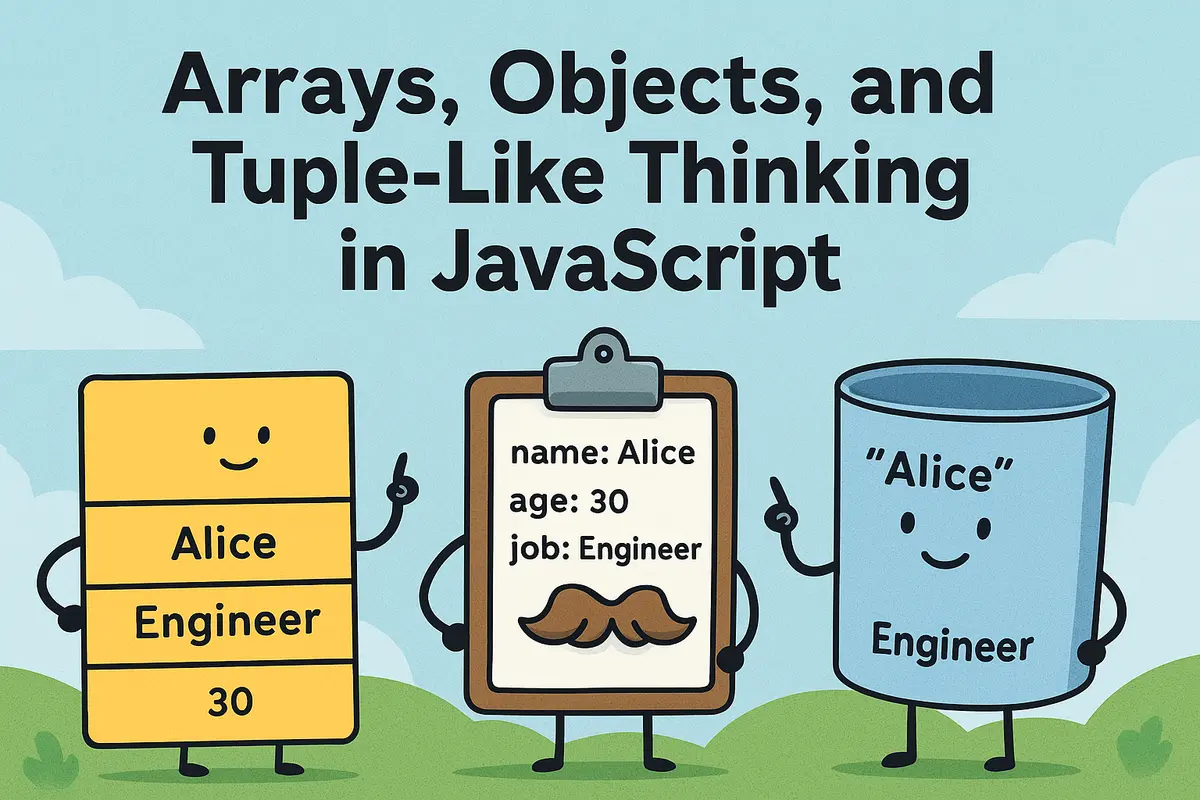
Tuple Thinking: A Useful Mental Model
A simple rule:
- Arrays → collections
- Objects → records
- Frozen Arrays → tuples
- TypeScript Tuples → strongly typed tuples
Ask yourself:
Does position matter more than names?
If yes, a tuple-like structure may be the right choice.
TL;DR Quick Recap
- JavaScript doesn't have native tuples.
- Arrays are mutable and dynamic.
Object.freeze()creates tuple-like immutable arrays.- Freeze is shallow by default.
- Use
deepFreeze()for nested structures. - Objects are better when field names matter.
- TypeScript supports real tuple types.
readonlytuples provide compile-time immutability.- Choosing the right data structure reduces bugs and improves readability.
Final Thoughts: Think in Data Shapes 🧠
One of the biggest improvements you can make as a developer isn't learning more syntax.
It's learning how to choose the right data structure.
Sometimes that's an array.
Sometimes that's an object.
And sometimes it's a tuple-like immutable structure that protects your data from accidental mutation.
JavaScript may not have native tuples, but with Object.freeze() and TypeScript, we can get surprisingly close.
A Little Joke to End On 😄
Why did the frozen array refuse to change?
Because it had strong boundaries and excellent immutability skills.
Frequently Asked Questions
Does JavaScript have tuples?
No.
Plain JavaScript does not include native tuple types.
Developers typically mimic tuple behavior using arrays and Object.freeze().
What is the closest thing to a tuple in JavaScript?
A frozen array:
const point = Object.freeze([10, 20]);
This preserves order and prevents mutation.
What does Object.freeze() do?
It prevents:
- Adding properties
- Removing properties
- Reassigning properties
However, it only freezes the top level by default.
Is Object.freeze() deep?
No.
It is shallow.
Nested objects remain mutable unless frozen separately.
What is deepFreeze()?
A recursive utility that freezes nested objects and arrays.
This provides true deep immutability.
Should I use arrays or objects?
Use:
- Arrays when order matters
- Objects when names matter
Choose based on how the data will be consumed.
Does TypeScript support tuples?
Yes.
const user: [string, number] = ["Alice", 25];
TypeScript enforces both order and element types.
What are readonly tuples?
Readonly tuples prevent mutation:
const point: readonly [number, number] = [10, 20];
Attempting modification results in a compile-time error.
Are frozen arrays faster than regular arrays?
Not necessarily.
The main benefit is safety and predictability rather than performance.
When should I use tuple-like arrays?
Great use cases include:
- Coordinates
- RGB colors
- Database rows
- Fixed configuration values
- Function return values
Key Takeaways
- JavaScript doesn't provide native tuples.
- Arrays can mimic tuples when combined with
Object.freeze(). - Deep immutability requires recursive freezing.
- Objects are often better when readability matters.
- TypeScript offers true tuple types and readonly tuples.
- Choosing the right data structure improves maintainability and reduces bugs.
If you found this helpful, share it with another developer and follow for more JavaScript deep dives. 🚀
About the Author
Anik Sikder is a Software Engineer specializing in Frontend Development, Backend Systems, DevOps, Cloud Infrastructure, and Software Architecture.
He writes about JavaScript, Python, Django, FastAPI, System Design, distributed systems, and scalable software engineering practices.