Hey Python enthusiasts! 👋
Have you ever wondered:
- Why changing one list sometimes changes another?
- Why does
a is bbehave differently froma == b? - What actually happens when you assign a variable?
- How does Python know when to free memory?
If you've ever felt confused by variables, memory references, mutability, or garbage collection, you're definitely not alone.
Today we're diving deep into one of the most important concepts in Python:
Variables and Memory Management.
Understanding this topic will instantly make many Python "mysteries" suddenly make sense.
Ready? Let's jump in. 🚀
Variables Are Not Boxes
One of the biggest misconceptions beginners have is thinking variables are containers that hold values.
They're not.
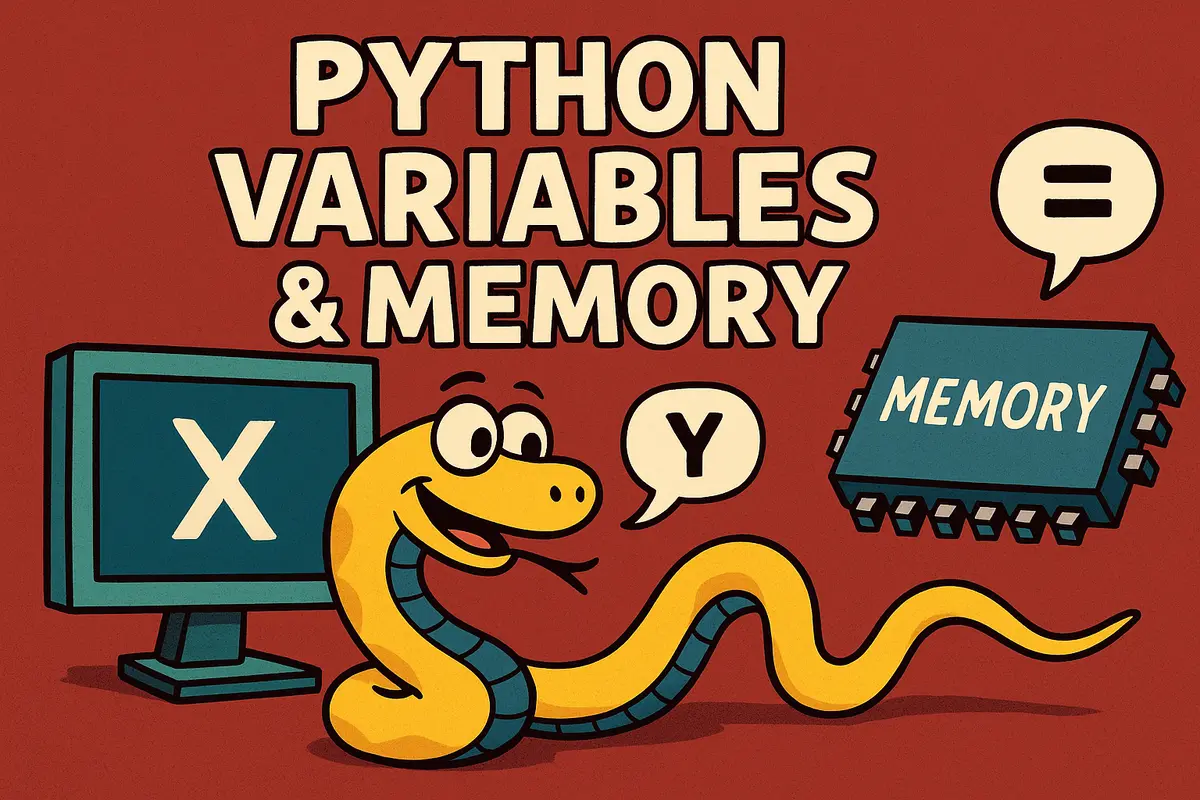
In Python, variables are simply names bound to objects.
Consider:
x = 10
Many people imagine:
x
┌────┐
│ 10 │
└────┘
But Python actually works more like:
x ─────► Object(10)
The variable is merely a label pointing to an object in memory.
Think of it as a sticky note attached to an object.
The note isn't the object.
It's just a way to find it.
Memory References
Let's see this in action.
x = 10
y = x
Now both names point to the same object.
x ──► 10
y ──► 10
We can verify this using id():
x = 10
y = x

print(id(x))
print(id(y))
Both IDs will be identical.
Because both names reference the same object.
Rebinding vs Mutation
A crucial distinction in Python is the difference between:
- Rebinding a name
- Mutating an object
Rebinding
x = 10
x = 20
The original object wasn't changed.
Instead:
x ──► 10

becomes

x ──► 20
The label moved.
Mutation
x = [1, 2, 3]
y = x

y.append(4)
Now:
print(x)
Outputs:
[1, 2, 3, 4]
Why?
Because both names reference the same list object.
The object changed.
The names didn't.
Reference Counting
CPython uses reference counting to track memory.
Every object maintains a count of how many references point to it.
Example:
import sys

a = [1, 2, 3]

print(sys.getrefcount(a))
Create another reference:
b = a

print(sys.getrefcount(a))
The count increases.
Remove it:
del b

print(sys.getrefcount(a))
The count decreases.
When the count reaches zero, Python can safely free the object.
Garbage Collection
Reference counting is fast.
But it has one weakness:
Circular References
Imagine:
class Node:
    def __init__(self):
        self.ref = None

a = Node()
b = Node()

a.ref = b
b.ref = a
Now:
a → b
↑   ↓
└───┘
Even after:
del a
del b
The objects still reference each other.
Reference counts never reach zero.
Without help, this becomes a memory leak.
Cycle Detection
To solve this, Python includes a garbage collector.
import gc

gc.collect()
The collector periodically searches for unreachable cycles and removes them.
This is why CPython uses:
- Reference counting
- Cycle-detecting garbage collection
Together.
Dynamic Typing
Python is dynamically typed.
Names can point to any object.
x = 10
x = "hello"
x = [1, 2, 3]
Perfectly valid.
The name changes.
The objects don't.
Strong Typing
Python is also strongly typed.
It won't silently mix incompatible types.
"10" + 5
Produces:
TypeError
Unlike some languages, Python refuses to guess your intentions.
Mutable vs Immutable Objects
This distinction explains countless bugs.
Immutable Objects
Cannot be modified after creation.
Examples:
- int
- float
- bool
- str
- tuple
- frozenset
s = "hello"

s += "!"
A brand-new string is created.
The original string remains unchanged.
Mutable Objects
Can be modified in place.
Examples:
- list
- dict
- set
nums = [1, 2]

nums.append(3)
The same list object changes.
No new object is created.
A Sneaky Tuple Example
Tuples are immutable.
But they can contain mutable objects.
t = ([], 42)

t[0].append("boom")

print(t)
Output:
(['boom'], 42)
The tuple didn't change.
The list inside it did.
Mind-blowing the first time you see it.
Function Arguments & Memory
Python uses call-by-sharing.
When you pass an argument, Python passes the object reference.
Consider:
def mutate(lst):
    lst.append(99)

a = [1, 2, 3]

mutate(a)

print(a)
Output:
[1, 2, 3, 99]
The function received a reference to the same list.
Rebinding Inside Functions
Now compare:
def rebind(lst):
    lst = lst + [99]

a = [1, 2, 3]

rebind(a)

print(a)
Output:
[1, 2, 3]
Why?
Because the function created a new list and rebound its local variable.
The original list remained untouched.
The Famous Mutable Default Argument Trap
One of Python's most famous gotchas:
def add_item(item, bucket=[]):
    bucket.append(item)
    return bucket
Looks innocent.
But:
print(add_item(1))
print(add_item(2))
Outputs:
[1]
[1, 2]
The default list is created once.
Not every call.
The Correct Approach
def add_item(item, bucket=None):
    if bucket is None:
        bucket = []

    bucket.append(item)
    return bucket
Always use this pattern for mutable defaults.
Shared References
Multiple names can point to the same mutable object.
a = [1, 2]

b = a

b.append(3)

print(a)
Output:
[1, 2, 3]
Sometimes that's useful.
Sometimes it's a bug.
Know the difference.
Shallow Copy vs Deep Copy
To avoid shared references:
import copy

x = [[1], [2]]

y = copy.copy(x)

z = copy.deepcopy(x)
Shallow Copy
Copies only the outer container.
Nested objects remain shared.
Deep Copy
Recursively copies everything.
No shared references remain.
Equality vs Identity
This trips up nearly every beginner.
Value Equality
a = [1, 2, 3]
b = [1, 2, 3]

print(a == b)
Output:
True
Values are identical.
Identity
print(a is b)
Output:
False
Different objects.
Different memory locations.
Use is for None
The canonical pattern:
if value is None:
    ...
Not:
if value == None:
    ...
Identity checks are more precise.
Everything Is an Object
Functions?
Objects.
Classes?
Objects.
Modules?
Objects.
Numbers?
Objects.
x = 42

def greet():
    pass

print(type(x))
print(type(greet))
Everything in Python is built around objects.
Namespaces and LEGB
Names live inside namespaces.
Python resolves names using:
LEGB
- Local
- Enclosing
- Global
- Built-in
Example:
x = "global"

def outer():
    x = "enclosing"

    def inner():
        x = "local"
        print(x)

    inner()

outer()
Output:
local
Python always searches in LEGB order.
CPython Interning
CPython optimizes memory by reusing certain objects.
Small Integers
a = 256
b = 256

print(a is b)
Usually:
True
Because Python reuses small integer objects.
Strings
a = "hello"
b = "hello"

print(a is b)
Often:
True
Due to string interning.
Important Rule
Never rely on interning.
Use:
==
For value comparison.
Not:
is
Constant Folding
Python performs compile-time optimizations.
Example:
x = 2 * 10
Often becomes:
x = 20
Before execution even starts.
Similarly:
"a" + "b"
May become:
"ab"
At compile time.
Why This Matters
Understanding variables and memory helps you:
- Debug weird bugs
- Avoid accidental mutations
- Write safer functions
- Understand performance better
- Master Python internals
- Perform better in interviews
Many advanced Python topics become much easier once this mental model clicks.
TL;DR Quick Recap
- Variables are names bound to objects.
- Multiple names can point to the same object.
- Mutable objects can change in place.
- Immutable objects cannot.
- CPython uses reference counting.
- Garbage collection handles cycles.
==compares values.iscompares identities.- Avoid mutable default arguments.
- Use
deepcopy()carefully when needed. - Interning is an optimization, not a guarantee.
Final Thoughts: The Mental Model That Changes Everything 🧠
The biggest lesson here is simple:
Variables don't contain objects. They point to objects.
Once you internalize that idea, mutability, function calls, garbage collection, copying, and equality all start making sense.
It's one of those concepts that feels small at first but completely changes how you understand Python.
Master this mental model, and you'll avoid a huge percentage of the bugs that trip up new Python developers.
A Little Joke to End On 😄
Why did the Python variable break up with the object?
Because it realized it was just a reference and the relationship wasn't actually permanent.
Frequently Asked Questions
Are Python variables containers?
No.
Variables are names bound to objects in memory.
They do not store values themselves.
What is reference counting?
Reference counting is CPython's mechanism for tracking how many references point to an object.
When the count reaches zero, the object can be removed.
What is garbage collection in Python?
Python's garbage collector detects and removes circular references that reference counting alone cannot clean up.
What is the difference between mutable and immutable objects?
Mutable objects can change after creation.
Immutable objects cannot.
Examples:
Mutable:
- list
- dict
- set
Immutable:
- int
- float
- str
- tuple
What is the difference between == and is?
==
Checks value equality.
[1, 2] == [1, 2]
Returns:
True
is
Checks object identity.
[1, 2] is [1, 2]
Returns:
False
Why should I avoid mutable default arguments?
Because default mutable objects are created only once and reused across function calls.
This can lead to unexpected behavior.
What is shallow copy vs deep copy?
Shallow copy duplicates only the outer container.
Deep copy recursively duplicates all nested objects.
What is interning in Python?
Interning is an optimization where Python reuses certain immutable objects such as small integers and some strings.
How are function arguments passed in Python?
Python uses call-by-sharing.
Functions receive references to objects, not copies of objects.
Why is understanding memory important?
It helps developers:
- Avoid bugs
- Understand mutability
- Write efficient code
- Debug reference issues
- Master Python internals
Key Takeaways
- Variables are names, not containers.
- Objects live independently in memory.
- Names can be rebound.
- Mutable objects can be shared.
- CPython uses reference counting.
- Garbage collection handles cycles.
- Use
==for value comparison. - Use
isfor identity comparison. - Avoid mutable default arguments.
- Understanding references makes Python far easier to reason about.
If you found this helpful, please share and follow for more Python deep dives!
About the Author
Anik Sikder is a Software Engineer specializing in Backend Systems, Cloud Infrastructure, DevOps, Python, Django, FastAPI, System Design, and Software Architecture.
He writes about Python internals, distributed systems, software engineering, and scalable backend development.