Hey developers! 👋
Welcome back to our networking and infrastructure deep-dive series.
In the previous article
we learned something surprising:
Two servers inside AWS, Azure, GCP, or a private datacenter can communicate without touching the public internet.
No ISP.
No public IP.
No internet routing.
Just private networking.
But that raises a much bigger question.
A question every backend developer eventually encounters.
The Mystery Nobody Talks About
Imagine you have:
Web Server
    |
    |
    ▼
PostgreSQL Server
Your application needs to connect to PostgreSQL.
Simple.
Right?
Not really.
Because the web server doesn't magically know:
Where PostgreSQL is.
Servers are not humans.
They cannot read dashboards.
They cannot open AWS Console.
They cannot browse Kubernetes UI.
So the real question becomes:
How does one server discover another server?
This seemingly simple question led to the creation of:
- DNS
- Private DNS
- Service Discovery
- Consul
- Eureka
- Kubernetes DNS
- Cloud Map
- Service Meshes
And ultimately became one of the most important problems in distributed systems.
Today we're going deep into that rabbit hole.
Imagine a New City
Suppose you move into a new city.
You need to find:
Hospital
Bank
Police Station
Restaurant
Do you memorize every building's GPS coordinates?
Of course not.
Instead you use:
Names
Such as:
city-hospital.com
instead of:
104.22.18.150
Computers do exactly the same thing.
Humans prefer names.
Networks use IP addresses.
Something must translate between them.
That something is DNS.
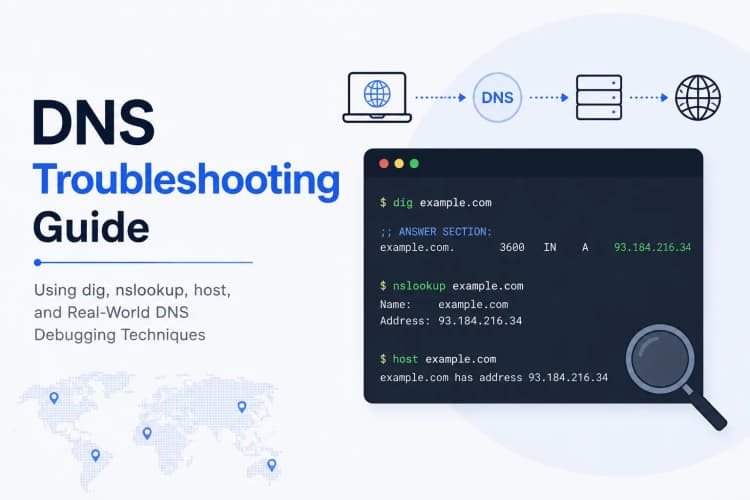
DNS: The Internet's Phonebook
DNS stands for:
Domain Name System
Its job is simple:
Name -> IP Address
Example:
google.com

↓

142.250.x.x
When you visit:
https://google.com
your computer first asks:
What's the IP address of google.com?
DNS replies:
142.250.x.x
Only then can the connection begin.
Without DNS:
The internet would be a giant spreadsheet of IP addresses.
Nobody wants that.
What Actually Happens?
When your browser requests:
google.com
the flow looks like:
Browser
   |
   ▼
DNS Resolver
   |
   ▼
Root DNS
   |
   ▼
.com Nameserver
   |
   ▼
Google Nameserver
   |
   ▼
IP Address Returned
Then:
Browser
   |
   ▼
Google Server
Connection established.
This process often completes in milliseconds.
Billions of times every day.
But Cloud Infrastructure Has a Problem
Public DNS works great for public websites.
But what about:
Backend API
Redis
PostgreSQL
RabbitMQ
Elasticsearch
These services are not public.
In fact:
They should NEVER be public.
Example:
api.company.com
can be public.
But:
postgres.company.com
should almost never be exposed to the internet.
So where do we keep internal server names?
This is where Private DNS enters the picture.
Private DNS: The Hidden Phonebook
Think of Private DNS as:
An internal company directory.
Only employees can access it.
Not outsiders.
Example:
db.internal
redis.internal
auth.internal
payments.internal
These names resolve only inside the private network.
Outside users see:
Nothing.
Inside AWS this is common.
Example:
ip-10-0-4-25.ec2.internal
or
db.production.internal
Only resources inside the VPC can resolve these names.
The public internet has no idea they exist.
Real Production Example
Suppose you're building an e-commerce platform.
Architecture:
Internet
    |
    ▼
Load Balancer
    |
    ▼
Web Servers
    |
    ▼
API Service
    |
    ├────────► PostgreSQL
    |
    ├────────► Redis
    |
    └────────► RabbitMQ
Question:
How does API Service find PostgreSQL?
Do we hardcode:
10.0.12.55
inside the application?
Never.
Because servers change.
Instances restart.
Containers move.
Databases failover.
IP addresses evolve.
Hardcoded IPs become operational nightmares.
Instead:
DATABASE_HOST = "postgres.internal"
Now infrastructure can move PostgreSQL anywhere.
DNS updates.
Application remains unchanged.
Beautiful.
The IP Address Problem
Modern infrastructure is dynamic.
Very dynamic.
Consider Kubernetes.
A container crashes.
A new container starts.
The new container may receive:
Completely different IP
within seconds.
Imagine every service storing IPs manually.
The system would collapse.
This is why names matter.
Names remain stable.
IPs do not.
Enter Service Discovery
DNS solved:
Find a machine
Service Discovery solves:
Find a service
Those sound similar.
They are not.
Let's see why.
The Microservice Nightmare
Imagine:
User Service

Order Service

Payment Service

Notification Service

Inventory Service

Recommendation Service
Each service runs:
Multiple Instances
Example:
Payment Service

payment-1
payment-2
payment-3
payment-4
Now User Service wants Payment Service.
Which instance should it choose?
payment-1 ?
payment-2 ?
payment-3 ?
payment-4 ?
Hardcoding doesn't work.
Static DNS doesn't fully solve it.
We need something smarter.
What Service Discovery Actually Does
A service registry keeps track of:
Who exists
Where they are
Whether they are healthy
Think of it like:
Air Traffic Control
for services.
Every service announces:
I'm alive.
Here's my address.
Registry stores that information.
Other services ask:
Where is Payment Service?
Registry responds:
payment-2
payment-3
payment-4
Now requests can flow.
Netflix Solved This Years Ago
When Netflix moved to microservices they faced a huge challenge.
Thousands of services.
Millions of requests.
Servers constantly scaling.
They created:
Eureka
A service discovery platform.
Services register themselves.
Other services discover them dynamically.
Without manual configuration.
This became one of the foundational patterns of cloud-native architecture.
Kubernetes: Service Discovery on Steroids
Kubernetes has built-in service discovery.
Suppose you deploy:
payment-service
with:
4 Pods
Kubernetes automatically creates:
payment-service.default.svc.cluster.local
Your application simply uses:
PAYMENT_URL = "http://payment-service"
No IP required.
No server management.
No lookup tables.
Kubernetes DNS handles everything.
Behind the scenes:
payment-service
        |
        ▼
Cluster DNS
        |
        ▼
Healthy Pods
Magic?
Not really.
Just extremely sophisticated automation.
What Happens During a Request?
Imagine:
Order Service
calls:
Payment Service
Flow:
Order Service
       |
       ▼
DNS Query
       |
       ▼
Cluster DNS
       |
       ▼
Payment Service Endpoints
       |
       ▼
Healthy Pod Selected
       |
       ▼
Request Sent
All this happens in milliseconds.
Most developers never see it.
Yet every request depends on it.
Health Checks Change Everything
Modern service discovery isn't just:
Where is the service?
It also asks:
Is the service healthy?
Suppose:
payment-3
crashes.
Registry detects failure.
Immediately removes it.
Now traffic goes only to:
payment-1
payment-2
payment-4
No code changes required.
No deployment required.
Infrastructure heals itself.
This is one of the superpowers of modern cloud systems.
DNS vs Service Discovery
Many engineers confuse them.
Let's simplify.
| Feature | DNS | Service Discovery |
|---|---|---|
| Finds Machines | Yes | Yes |
| Finds Services | Limited | Yes |
| Tracks Health | No | Yes |
| Dynamic Scaling | Limited | Excellent |
| Cloud Native | Partial | Yes |
| Microservices Friendly | Partial | Excellent |
Think of DNS as:
A phonebook
Think of Service Discovery as:
A live GPS system with traffic updates.
Huge difference.
AWS Example
AWS provides:
AWS Cloud Map
Services register themselves.
Applications discover services dynamically.
Instead of:
10.0.22.17
you use:
payment.production.internal
AWS continuously keeps records updated.
Your applications stay clean.
Infrastructure stays flexible.
The Hidden System Every Developer Uses
Whenever your application connects to:
Database
Cache
Queue
API
Microservice
one of the following is usually working behind the scenes:
DNS

Private DNS

Service Discovery
Without them:
Modern cloud architecture would be impossible.
Not difficult.
Impossible.
Visual Mental Model
Application
     |
     ▼
Service Name

(payment-service)

     |
     ▼
DNS / Service Discovery

     |
     ▼
Healthy Instance

(payment-2)

     |
     ▼
TCP Connection

     |
     ▼
Response
Simple.
Powerful.
Cloud Native.
Why System Designers Care
Junior developers often think:
Database Host = Some String
System designers think:
How is that string resolved?

Who owns it?

What happens during failover?

How is health tracked?

How does scaling affect discovery?

How quickly do updates propagate?
These questions separate:
Application Development
from
Infrastructure Engineering
Understanding service discovery is one of the first steps toward thinking like a platform engineer, DevOps engineer, cloud architect, or distributed systems designer.
TL;DR Quick Recap
- Servers communicate using IP addresses.
- Humans prefer names.
- DNS translates names into IP addresses.
- Private DNS provides internal-only naming.
- Modern infrastructure avoids hardcoded IPs.
- Service Discovery tracks service locations dynamically.
- Kubernetes provides built-in service discovery.
- Healthy instances are automatically discovered.
- Failed instances are automatically removed.
- Every modern cloud platform depends heavily on these mechanisms.
Final Thoughts: The Invisible Map of the Cloud 🗺️
Most developers spend years writing:
DATABASE_HOST="postgres"
without asking:
Who told the application where postgres is?
Behind that tiny configuration value sits an enormous ecosystem:
- DNS Servers
- Private DNS
- Service Registries
- Health Checks
- Load Balancers
- Cloud Networking
- Kubernetes Controllers
All working together to answer one deceptively simple question:
"Where is the thing I'm trying to talk to?"
And surprisingly, that question powers almost every distributed system on Earth.
In the next article, we'll go even deeper:
How Does Traffic Know Which Server Should Receive the Request?
Load Balancers → Reverse Proxies → Traffic Routing → Health Checks
Because finding a service is only half the story.
Choosing the right instance is where things get really interesting. 🚀
Frequently Asked Questions
What is DNS in simple terms?
DNS (Domain Name System) translates human-friendly names into IP addresses.
For example:
payment-service.company.com
might resolve to:
10.0.12.34
Without DNS, applications would need to remember IP addresses instead of names.
What is the difference between Public DNS and Private DNS?
Public DNS is accessible from the internet.
Examples:
google.com
github.com
amazon.com
Private DNS works only inside private networks such as:
db.internal
redis.internal
payment.internal
These records are invisible to the public internet.
Why shouldn't applications use hardcoded IP addresses?
Because infrastructure changes constantly.
Servers restart.
Containers move.
Databases fail over.
Auto-scaling creates new instances.
A hostname remains stable while IP addresses can change frequently.
What is Service Discovery?
Service Discovery is a mechanism that allows applications to dynamically locate other services.
Instead of storing server addresses manually, applications ask a registry:
"Where is Payment Service?"
The registry returns currently available healthy instances.
Does Kubernetes use Service Discovery?
Yes.
Kubernetes includes built-in DNS and Service Discovery.
When a Service resource is created, Kubernetes automatically generates DNS records that other Pods can use.
Example:
payment-service.default.svc.cluster.local
Applications can connect using the service name rather than individual Pod IPs.
Why is Service Discovery important in Microservices?
Microservice environments are highly dynamic.
Instances are constantly:
- Starting
- Stopping
- Scaling
- Replacing failed nodes
Service Discovery ensures applications always find healthy service instances without manual configuration updates.
What happens when a service instance crashes?
Modern Service Discovery platforms perform health checks.
If an instance becomes unhealthy:
payment-3
it is removed from the list of available endpoints.
Traffic automatically shifts to healthy instances.
Is DNS enough for Microservices?
Sometimes.
For small systems, DNS may be sufficient.
For large-scale distributed systems with dynamic scaling, health checks, and hundreds of services, Service Discovery platforms provide significantly more functionality.
What are some popular Service Discovery solutions?
Common examples include:
- Kubernetes DNS
- CoreDNS
- Consul
- Netflix Eureka
- AWS Cloud Map
- HashiCorp Consul
- Service Mesh solutions such as Istio
Each provides different capabilities depending on infrastructure requirements.
How do modern cloud platforms handle service discovery?
Most cloud platforms provide built-in service discovery mechanisms.
Examples:
- AWS Cloud Map
- Kubernetes Services
- Azure Service Discovery
- Google Cloud Service Directory
These systems continuously track service locations and health status automatically.
Key Takeaways
- DNS translates names into IP addresses.
- Private DNS provides internal-only service naming.
- Modern infrastructure should avoid hardcoded IP addresses.
- Service Discovery enables dynamic service-to-service communication.
- Kubernetes includes built-in DNS and Service Discovery.
- Health checks ensure traffic reaches healthy instances only.
- Microservices rely heavily on Service Discovery.
- Dynamic infrastructure requires dynamic discovery mechanisms.
- DNS answers "Where is the server?"
- Service Discovery answers "Which healthy service instance should I use?"
About the Author
Anik Sikder is a Software Engineer specializing in Backend Development, Cloud Infrastructure, Distributed Systems, DevOps, Networking, Python, Django, FastAPI, and Software Architecture.
He writes about system design, cloud networking, distributed systems, platform engineering, backend architecture, DevOps practices, and modern software engineering. His goal is to help developers understand not just how software works, but how the infrastructure beneath it actually operates at scale.